Contents
- Paper or digital journaling: what are the practical differences?
- What do you want to find again in your journal?
- How can you compare the two formats without getting sidetracked?
- Which format best protects your privacy?
- How can you use a hybrid journal without duplicating everything?
- How can you keep organization from taking over?
- Paper or digital journaling: when should you switch formats?
- A comparison over a real week
- Finding the same date several years later
- Can you retrieve a note with your chosen medium?
- Frequently asked questions
- Sources
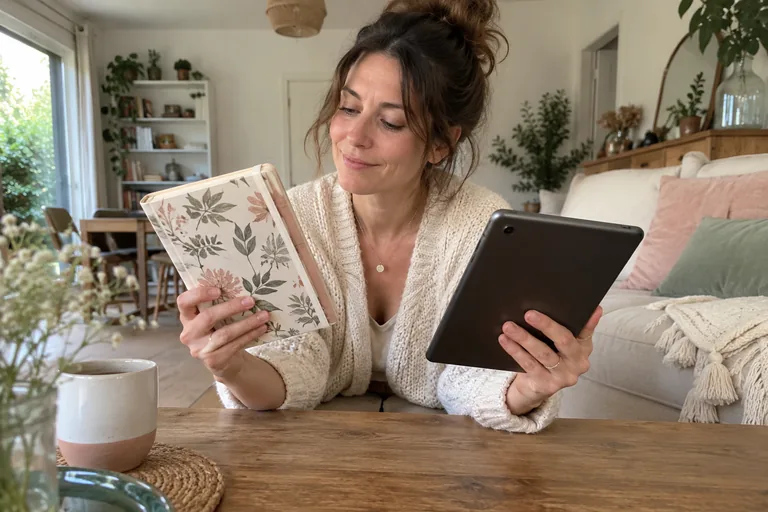
Choosing a paper or digital journal depends mainly on three uses: how you want to write, find your entries again, and keep them private. You can start with what you already have, then compare two real trials instead of searching for the perfect format.
A beautiful notebook can stay closed; a feature-rich app can become tiring. The chart and workshop in this guide help you identify your specific constraints. They don’t name a universal winner or assume that writing by hand or typing automatically produces better effects.
Paper or digital journaling: what are the practical differences?
Paper gives you a page you can use freely. You can write at an angle, draw an arrow, or tuck in a memory without learning an interface. However, finding a specific entry depends on the reference points you use: dates, numbered pages, an index, or your memories of the notebook. Text that’s hard to read will still be hard to read when you revisit it.
Depending on the tool you choose, digital journaling can make it easier to search, move a paragraph, and add media. These options aren’t available everywhere. Before adopting an app, check for the features you actually need rather than assuming that “digital” comes with a guaranteed set of features.
| Question | Paper | Digital |
|---|---|---|
| How do you get started? | Open the notebook and pick up a pen | Open a file or an app |
| How do you find an entry again? | Dates, index, visual markers | Search or filing, if available |
| How do you keep a copy? | A photo or scan you choose to make | Export and backup to check |
| Who can access the content? | Someone who can reach the notebook | A person or service with access to the data |
| What can you do without a screen? | Carry on as usual | Plan to use a different format |
The chart describes possibilities, not security guarantees or a study comparing their benefits. To choose what to include in your first entries, the guide for keep a personal journal remains useful whatever medium you use. The material choice comes next to support this practice.
What do you want to find again in your journal?
If you want to keep scenes, drawings, and a few flat objects, your notebook can become a pleasant collection to flip through. You don’t necessarily need to find a word in a few seconds. The creative journal with collage offers a way to use that freedom without turning every page into a work of art.
If your goal is to gather ideas by project, search and links between notes may matter more. Try finding an old entry using the system you have in mind. A folder that is theoretically well organized but hard to browse doesn’t help you. Our tips for organizing an idea notebook also apply to a file library.
If you simply want to leave a daily record, a dated page or a very simple file may be enough. The format one sentence a day lets you try a medium without investing a long session in it. You can add complexity once you encounter a real limitation.
Flip cards
Your habits before your tool
Find a decisionFlip
Look for how to record its date, the options considered, and the information available.
Keep imagesFlip
Check how to add them, find them again, and keep them outside the tool.
Write freelyFlip
Try a page with no formatting or required categories.
Keep a brief recordFlip
Prefer simple access to a full dashboard.
How can you compare the two formats without getting sidetracked?
Choose two ordinary moments close enough together that the conditions remain comparable. At one, write on paper; at the other, use a digital tool you already have. Give yourself the same prompt, such as describing one detail from your day. You don’t need to copy the same text, which would make the second try feel artificial.
Then observe what actually happens. Did you find your medium easily? Did you leave it to look for an option, answer a message, or find a pen? These observations tell you more than a general impression of modernity or authenticity. They reflect your current environment, not a permanent preference.
A few days later, find both entries again. See whether you enjoy reading them and whether you still understand their context. If you mostly feel like continuing with one of the mediums, that’s enough information for your next try. You don’t need to create a permanent ranking of your preferences.
A fictional example: you thought you’d choose an app for writing during your commute, but you don’t want your sentences to be visible next to another passenger. In the end, you keep a small notebook for writing at home. Someone else may feel exactly the opposite. The context explains the choice without making any one medium the best for everyone.
Workshop
Which constraint matters most today?
Choose the situation closest to your real life, then try the suggested check.
I want to write without a screen
Keep a notebook within reach and decide where to put it away. Try a short entry without adding any required decoration.
I need to find specific words
Create three fictional notes and try the search. Then check that an export is still readable elsewhere.
My space or device is shared
First identify who can access the content. Choose the medium only after clarifying this constraint.
I’d like both
Give each format a distinct purpose and choose where the authoritative version lives.
 Read alsoScripting: Write your dream life to clarify what you want
Which format best protects your privacy?
A notebook kept offline can be opened by someone who finds it. A digital journal may be exposed through an unlocked device, a shared account, syncing, or accidental sharing. So the useful question is: who could access my notes in my situation? The answer will differ in a shared home and on a work computer.
The CNIL recommends reviewing mobile app settings and access. Take time to read the privacy policy of the tool you’re considering and find out how it stores data, whether it processes data remotely, and what options you have for deleting it. Don’t mistake a locked screen for proof that data never leaves the device.
For paper, choose a consistent place to keep it and set a clear boundary with the people you share your space with, if that conversation is safe. For digital journaling, use a personal device and account suited to this purpose. Avoid putting private thoughts in your employer’s work tools, even if they seem convenient.

Quiz
Paper and digital, without assumptions
A paper notebook is always inaccessible to others.
See the answer
False. It depends on where it’s kept and who can reach it.
An app always offers an export you can read.
See the answer
False. Test this feature before trusting it with an important archive.
You can switch formats without copying all your notes.
See the answer
True. A new start date and a reference to the old archive may be enough.
How can you use a hybrid journal without duplicating everything?
Combining formats can be simple: use a notebook for free writing and a digital index to find dates. You can also keep a journal on a screen and save paper for drawing. What can become burdensome is systematically copying every entry without a clear reason. Decide what the second format adds before you fill it.
If you keep photos, consider their context: an image without a date or note can become hard to interpret. Our A personal photo journal helps you add a few words alongside your images. Still, avoid making multiple copies of sensitive material solely out of fear of losing something.
A backup also needs to be protected and readable. The CNIL emphasizes the importance of checking that data can be restored in its security recommendations. On your end, open a test export before deleting the original. The mere presence of a file doesn’t prove that it contains the notes you want in the right form.
How can you keep organization from taking over?
A cover to choose, ten categories to create, a template to improve: preparation can quickly take the place of writing. Give yourself a very simple rule for getting started. A date, a few lines, and a consistent place to find them are enough to try out what you need. You can personalize things later, based on how you actually use it.
If you’re spending more time adjusting colors than writing down what matters, ask yourself what you’d rather do today. Decorating can be an enjoyable creative activity in its own right; you don’t have to disguise it as a requirement for keeping a journal. You can also set aside another time for it and use an ordinary page for your words.
For categories, wait until you have several entries before deciding which ones are useful. A theme that seemed central at first may turn out to appear rarely. A simple list of dates may serve you better than a detailed structure designed in advance. The right level of organization is the one that helps you find things without making you classify everything perfectly.
At the end of your trial, ask yourself a concrete question: was I able to write and find what I wanted? If the answer is yes, the format is already doing its job. You don’t need to add a daily metric, a streak to maintain, or a reward system to justify this personal practice.
Paper or digital journaling: when should you switch formats?
You can switch when the practice takes more upkeep than writing, or when your daily life changes. A move, a new job, or a lack of space can change what you need. You don’t have to justify the change by pointing to personal growth: a practical constraint is enough.
Start a new entry with a date and the location of your old notes. For picking up a journal after a break, you can follow the same approach: no catch-up required. If you want to take stock, choose a light weekly review instead of migrating your entire archive.
Checklist
Before choosing for the next month
0 / 6
You have enough information for another trial, not for a permanent commitment.

A comparison over a real week
Choose three situations you actually encounter: an evening at home, a commute where you can write safely, and a moment when you want to find an old note. The format you like in a shop may turn out to be cumbersome on public transportation; the app that’s pleasant to use on your couch may be less convenient when your battery is low. Try these real-world uses instead of an idealized version of your day.
Also look at what comes out of the system. You can read a paper page without the whole journal if you deliberately make a copy. A digital export may lose its formatting or separate attachments. Try it with a note that contains nothing sensitive and check what you actually get. Don’t wait until you change phones or services to discover this limitation.
At the end, write two sentences: “This format helps me when…” and “It makes things harder for me when…”. You can keep paper for stories and digital for the index, or the other way around. You can also choose just one format and accept its main drawback. No system has to serve every imaginable purpose to be good enough for your life.
You can keep these two sentences in a decision journal to remind you of the information that guided your choice.
Finally, give yourself permission to postpone the purchase. A notebook you’ve already started and a notes app can provide enough information to decide. Buying supplies can be a pleasure you choose to enjoy, but that pleasure is different from needing a journal. Naming the difference can keep you from concluding too quickly that you can only begin a practice with the perfect medium.
For a voice-based record, the personal audio journal offers another option: tell your story, then choose what you want to keep. Focus on comparing actual use and the privacy of the setting before replacing your current medium.
Before choosing your medium, this personal account can help you clarify what you want to keep in a journal.
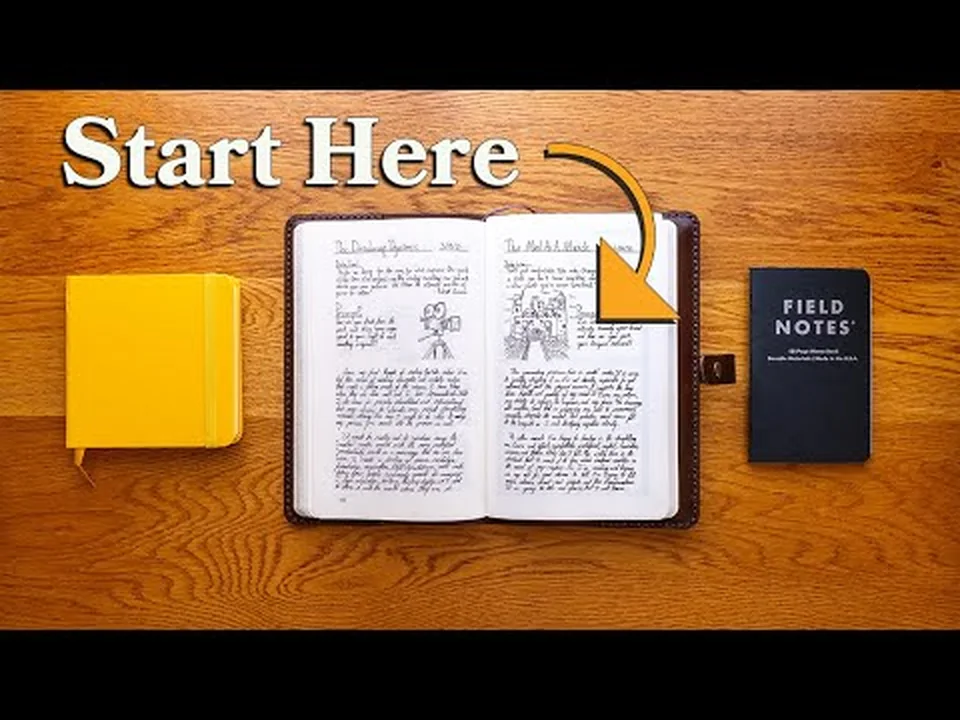
For a complementary perspective, watch this video from Zacc Rowlands. Compare the paper examples with your actual retrieval and privacy needs; no format is universally better.
Finding the same date several years later
A format can feel pleasant to fill in and be less convenient to consult much later. For a daily archive, choose a test date with its full year. Check that you can distinguish “March 4, 2025” from “March 4, 2026,” even if both entries have the same title. A notebook may need a year label on its spine; a file may need a date inside its contents as well as its name.
| Check | On paper | On a screen |
|---|---|---|
| Finding the right day | The volume’s year and the page’s date | Full date and a tested search |
| Understanding a later addition | The addition’s date in the margin | The addition’s date visible in the note |
| Reading outside the usual format | A chosen copy with its context | An opened export with readable dates |
Also test two entries with the same title: can you still access both, or does the second replace the first? This small check matters more than a long feature list. Do not delete the original during the test. To keep several occurrences of a date in one notebook, the five-year journal offers another layout; its small space suits a brief record, rather than necessarily every story you want to tell.
Can you retrieve a note with your chosen medium?
Test a real search before adding features. Choose a nonsensitive entry you want to keep, close the medium, and try finding it later. Notice the action required without turning the time into a performance score.
| On paper | On a digital medium |
|---|---|
| A recognizable title and page | A title and a known location |
| An index or bookmark | A search or folder you understand |
| A reference to continued notes | A link or reference to the continuation |
Invented example: you want a garden visit idea, but the notebook contains three entries titled “Saturday.” Changing the index label to “garden, morning light” may be enough; copying every page onto a device would create another filing problem. Conversely, if digital search already serves you, a new classification system may add nothing.
A paper notebook index can bridge media. With several books underway, keep a return point for each book. For words encountered while reading, a vocabulary notebook helps you look up a specific use. Repeat the experiment when your needs change, rather than endlessly searching for the perfect medium.
Frequently asked questions
Paper or digital journal: which should you choose?
Choose the one that best suits how you use it and your privacy needs. Two short trials can help you compare without a major investment.
Can you keep a journal in a simple notes app?
Yes, if its features and how it works suit you. In particular, check which account you use, how your data is stored, whether it can be locked, and whether you can export it.
Do you need to buy a special notebook?
No, any notebook you have on hand may be enough to try it out. The paper, size, and binding matter most if they make you want to write and work well for how you use it.
Is it useful to copy a paper journal onto a computer?
This may be useful for a specific preservation or research project. It isn’t required, and it creates a new copy whose access you also need to protect.
How do you switch from digital to paper?
Start on a clear date and keep a reference to your earlier notes. You don’t need to copy your whole story to make the transition valid.
Can you keep both formats?
Yes, with a clear purpose for each. For example, reserve the notebook for entries and the file for a date index instead of duplicating everything.
Sources
- CNIL. Mobile apps: your privacy needs better protection. Information and control over data.
- CNIL. Security: backing up. Principles for protecting and restoring backups; a professional guide adapted here for a simple personal check.